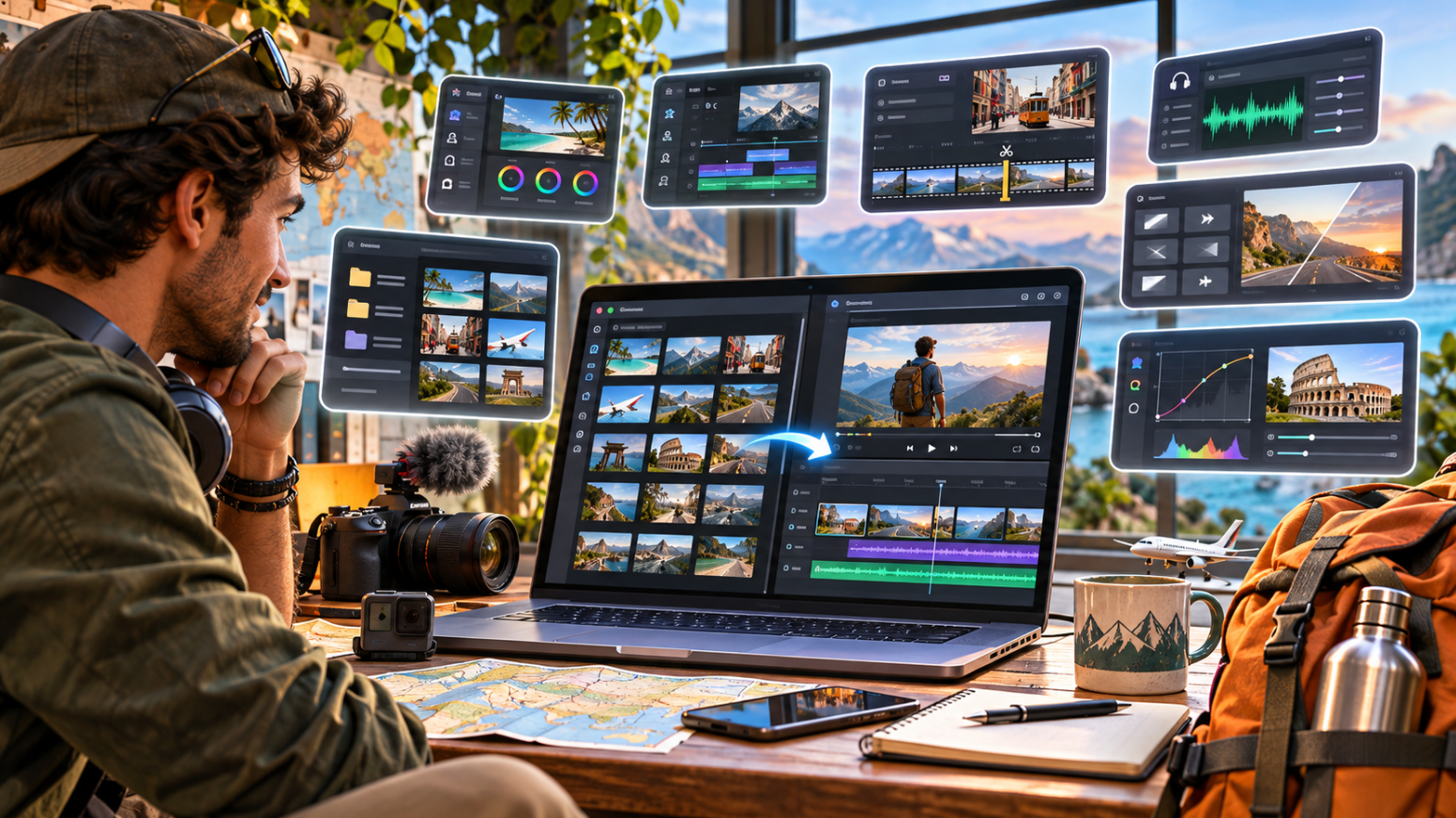
A week on the road can leave you with hours of clips: a drone pass over a coastline, handheld walks through a market, talking-to-camera updates from a hostel balcony and a dozen takes of the same sunset. Somewhere in that pile is a story, but you have to find it before you can tell it.
That first assembly pass is the rough cut. It is not about colour grading, music polish or titles. It is about choosing the right shots, putting them in order and trimming everything down to something that holds together. The editor you pick shapes how long this stage takes, and how much of it feels like work. This guide compares seven editors that handle it well for travel footage, so you can choose the one that fits the way you shoot and cut.
What a rough cut means for a travel vlog
A rough cut is the first complete version of your video. The shots are in sequence, spoken lines are trimmed, dead air is gone and the timing is roughly right. Nothing is final yet.
For a travel vlog, the rough cut usually answers a handful of storytelling questions. What is the opening hook? Which places make it into the video and which get dropped? How does the day flow from morning to night? Where does your voiceover or talking-to-camera footage sit between the scenery? Getting these decisions down early saves you from polishing scenes that never make the final video.
Why raw travel footage is hard to cut
Travel footage has a few habits that make the first pass slow:
Mixed sources. Phone clips, action camera footage, drone shots and mirrorless video arrive with different frame rates, resolutions and colour.
Repetition. Long walking shots, scenic pans and several takes of the same line pile up quickly.
Messy audio. Wind, traffic and crowds sit underneath your voice, and pauses or false starts creep into spoken sections.
Searching, not cutting. With hundreds of clips named something like IMG_4821, finding the right shot can take longer than trimming it.
More than one format. The same trip often needs a horizontal YouTube video and a few vertical reels.
What to look for in a rough cut editor
These are the points worth comparing before you commit to a tool:
Footage search. Can you find a shot by what is in it or by what was said?
First-cut assembly. How much of the first draft does the editor build, and how much stays manual?
Speech and sound. Does it handle silences, filler words and noisy audio?
Control after the first pass. Can you refine timing, colour and effects once the story is in place?
Platform fit. Does it run on the devices you already use?
Cost model. Is it free, a subscription, a one-time licence or credit-based?
The 7 editors at a glance
| Editor | Best for | How it approaches the first cut |
|---|---|---|
| Invideo Editor | Large volumes of mixed travel clips | An AI agent assembles an editable base cut on a timeline. |
| Descript | Narrated and talk-to-camera vlogs | You cut by editing the transcript. |
| CapCut | Phone-shot reels and short videos | Auto-cut, scene detection and beat matching. |
| DaVinci Resolve | Colour and audio control | A fast Cut page, followed by a full Edit page. |
| Adobe Premiere Pro | Regular, high-volume editing | Search footage by description, then edit by text or timeline. |
| Final Cut Pro | Mac and iPad vloggers | Transcript and visual search with a Magnetic Timeline. |
| Filmora | Newer editors who want guided tools | Scene detection, silence detection and beat sync. |
1. Invideo Editor
Invideo Editor is an AI video editor that pairs a browser-based timeline with a built-in editing agent. You work on a familiar multi-track timeline, and the agent can carry out editing tasks on that same project when you describe what you want.
For rough cut editing, you upload footage from one or more cameras, along with any voiceover or music, then tell the agent what the video should cover. It reviews the on-screen action, delivery and dialogue, removes unusable material and picks the strongest takes to assemble a first cut. For a travel vlog, that could mean handing it a folder of clips from a long weekend and asking for a four-minute story with a strong opening. You can also give it a music track and ask it to cut the footage to the beat, or ask for a faster opening, a shorter middle or a version trimmed to a target length. Everything lands on the editable timeline, so you can adjust clips, timing and audio yourself, and export or move the timeline into Premiere Pro, Final Cut Pro or DaVinci Resolve for finishing.
Key features
Agent-built base cut from raw footage, with take selection
Cutting footage around a music track or beat pattern
Restructuring the sequence and pacing to a target duration
Platform-specific versions built from the same project
A manual timeline for refining the result
Best for: Travel vloggers with a large volume of mixed clips who want a structured first draft to refine by hand.
Keep in mind: Agent work uses invideo credits, so check the current plan details before a big project. Review the assembled cut yourself, because the final story choices are still yours.
2. Descript
Descript edits video through a transcript. It transcribes your footage, then lets you cut, rearrange and delete lines by editing the text while the video follows along. For vloggers who narrate to camera or record voiceover, a rough cut starts to feel like editing a document rather than scrubbing a timeline.
That approach suits travel stories built around spoken commentary. You can read through everything you said on a trip, delete the false starts and tangents, and move the best lines into the order you want. The scenic shots that support those lines can then be placed on the timeline around them.
Key features
Transcript-based editing of video and audio
Filler-word and pause removal
Studio Sound for cleaning up noisy recordings
Underlord, an AI co-editor for assisted edits
Best for: Talk-to-camera vlogs, narrated travel stories and trips with plenty of spoken commentary.
Keep in mind: Footage with little speech, such as drone passes or b-roll montages, gives the transcript less to work with, so those shots are still arranged on the timeline. The free plan has a monthly media-minute allowance and a limited set of AI credits, while paid plans raise those limits.
3. CapCut
CapCut is a popular editor on phone and desktop, built around short-form video. Its templates, effects and quick AI helpers make it a fast way to turn trip clips into vertical reels or compact YouTube videos.
For a first cut, CapCut leans on automation for the repetitive jobs. Auto-cut tools trim silences and dead air, scene detection splits long recordings at natural cut points and beat matching lines your cuts up with a music track. Because the same editor runs on a phone, you can start a rough cut on the train home and finish it on a laptop.
Key features
Auto-cut for silences and dead air
Scene detection for splitting long footage
Beat matching to music
Auto captions and background removal
A large library of templates and effects
Best for: Phone-shot travel reels, quick turnarounds and vloggers who post mostly vertical video.
Keep in mind: The free plan covers core editing, but several AI features are limited by monthly allowances or sit in CapCut Pro. Plan details have changed more than once in 2026, so check the current terms before you rely on a specific feature.
4. DaVinci Resolve
DaVinci Resolve from Blackmagic Design is a full editing, colour, audio and effects suite with a free version. Its Cut page is built for quick assembly: you bring in clips, scrub through them fast and build a first sequence before moving to the Edit page for detailed work.
Travel footage benefits from what sits around the editing pages. The Colour page, with node-based grading and scopes, helps match drone, phone and camera clips that were shot under different light. Fairlight handles audio cleanup and mixing, and Fusion covers effects and titles. Everything stays in one program from the rough cut through to the final export.
Key features
Cut page for fast assembly and Edit page for detailed work
Node-based colour grading and scopes
Fairlight audio tools for cleanup and mixing
Fusion for effects and motion graphics
Best for: Vloggers who want professional colour and audio control and are happy to learn a deeper program.
Keep in mind: DaVinci Resolve Studio is a one-time purchase ($295) and adds many of the advanced AI tools, while the free version has some limits on features, export resolution and formats. The program is also more demanding to learn and to run than lighter editors.
5. Adobe Premiere Pro
Adobe Premiere Pro is a long-standing timeline editor with a growing set of AI tools aimed at the early stages of an edit. Media Intelligence powers a Search panel where you describe a clip in everyday language, such as a market street or a coastline from above, and find matching shots across your footage.
For a rough cut, that search saves the time you would otherwise spend scrubbing through folders. Text-Based Editing lets you refine, reorder and trim clips through a transcript, and Generative Extend can lengthen a clip by a few seconds when a shot ends too early. Once the story is in place, Premiere Pro's colour, audio and graphics tools take you through to delivery, and the program works alongside other Adobe apps.
Key features
Media Intelligence search by description
Text-Based Editing through automatic transcription
Generative Extend for lengthening clips
Colour, audio and graphics tools in one timeline
Best for: Vloggers who edit regularly, want an industry-standard workflow or work with collaborators in Adobe apps.
Keep in mind: Premiere Pro is subscription-based, and Generative Extend draws on Adobe's generative credits. It has a steeper learning curve than template-led editors.
6. Final Cut Pro
Final Cut Pro is Apple's video editor for Mac and iPad, known for its Magnetic Timeline, which keeps clips connected and closes gaps automatically as you move things around. Version 12 added Transcript Search and Visual Search, so you can find a spoken line by typing it or find a shot by searching for an object or action.
Those search tools help with the slowest part of a travel rough cut, which is locating the right moment in hours of footage. Beat Detection shows musical beats and bars directly in the timeline, which helps when you cut a montage to a track, and the iPad version includes Montage Maker for starting an edit in seconds. Footage shot on an iPhone moves easily into the same Apple ecosystem.
Key features
Magnetic Timeline for flexible rearranging
Transcript Search and Visual Search
Beat Detection for music-led edits
Montage Maker on iPad
Best for: Mac and iPad vloggers, especially those who shoot on an iPhone.
Keep in mind: It runs on Apple devices only. Transcript Search and Visual Search need Apple silicon and were limited to U.S. English at launch. Final Cut Pro is available as a one-time purchase on the Mac App Store or through Apple's app subscription bundle.
7. Filmora
Wondershare Filmora is a beginner-friendly editor available on Windows, Mac and mobile. It combines a simple timeline with AI helpers for the early stages of a cut, including Smart Scene Cut, which detects scene changes and splits long recordings into separate clips.
For a travel rough cut, those helpers handle the first clean-up. Silence Detection removes pauses from spoken sections, Auto Beat Sync lines cuts up with music, and AI audio tools reduce background noise from wind and crowds. Multi-camera editing helps when you have footage of the same moment from more than one angle, and Smart Short Clips can pull shorter highlights from a longer recording.
Key features
Smart Scene Cut for splitting long footage
Silence Detection and Auto Beat Sync
AI audio denoise and enhancement
Multi-camera editing
Smart Short Clips for highlights
Best for: Newer editors who want guided tools and templates without a steep learning curve.
Keep in mind: Some AI features use credits, and plan options include subscriptions and a perpetual licence. Check the watermark and export rules of the plan you choose before you start a long project.
Choosing the right editor for your trip
The best choice depends on how you shoot and how you like to work:
If you come home with a large pile of mixed clips, an editor that assembles a first cut for you, such as invideo Editor, can shorten the sorting stage.
If your videos rely on your own voice, Descript and Premiere Pro let you cut through the transcript.
If you post mostly vertical reels from your phone, CapCut and Filmora are built for quick turnarounds.
If colour and sound matter most, DaVinci Resolve offers deep control.
If you live in the Apple ecosystem, Final Cut Pro fits naturally.
Whichever you pick, most of these editors offer a free plan, a free version or a trial, so you can test one on a real trip before you commit.
FAQs
What is a rough cut in video editing?
A rough cut is the first full assembly of a video. Clips are placed in order, unusable footage is removed and the timing is roughly set. Polish such as colour grading, music mixing, titles and effects comes afterwards.
How should I organise travel footage before starting a rough cut?
Sort clips into folders by day or location, and mark standout shots as you review them. Keep voiceover and music files separate from video clips. A little organisation up front makes searching, whether by hand or with an AI tool, much faster.
How long should a travel vlog rough cut be?
A common approach is to let the first cut run longer than your target, then trim it in later passes. It is easier to remove a scene that does not earn its place than to find extra material later.
Can AI build a rough cut for a travel vlog?
Several of the editors above can build or speed up a first cut. Invideo Editor assembles a base cut from raw footage using its agent, Descript and Premiere Pro cut through transcripts, and Final Cut Pro and Premiere Pro search footage by description. You still decide on the story, so plan to review and adjust what the tool produces.
Which editor is easiest for beginners?
Tools with guided features and templates, such as CapCut and Filmora, tend to have a gentler learning curve. invideo Editor also suits newer editors who prefer to describe a cut and refine it on the timeline. DaVinci Resolve and Premiere Pro offer more control but take longer to learn.
Can I edit a rough cut on my phone or tablet?
Yes, with some of them. CapCut and Filmora have mobile apps, and Final Cut Pro and DaVinci Resolve both have iPad versions. For long trips with many clips, many vloggers still prefer a laptop or desktop for the full edit.
Should I add music at the rough cut stage?
It helps to add a temporary track. Music gives you a sense of pacing early, and beat tools in invideo Editor, CapCut, Final Cut Pro and Filmora can line cuts up with it. You can swap in the final track later.