
A Client Intake For Doctor Headshots That Designers Can Reuse
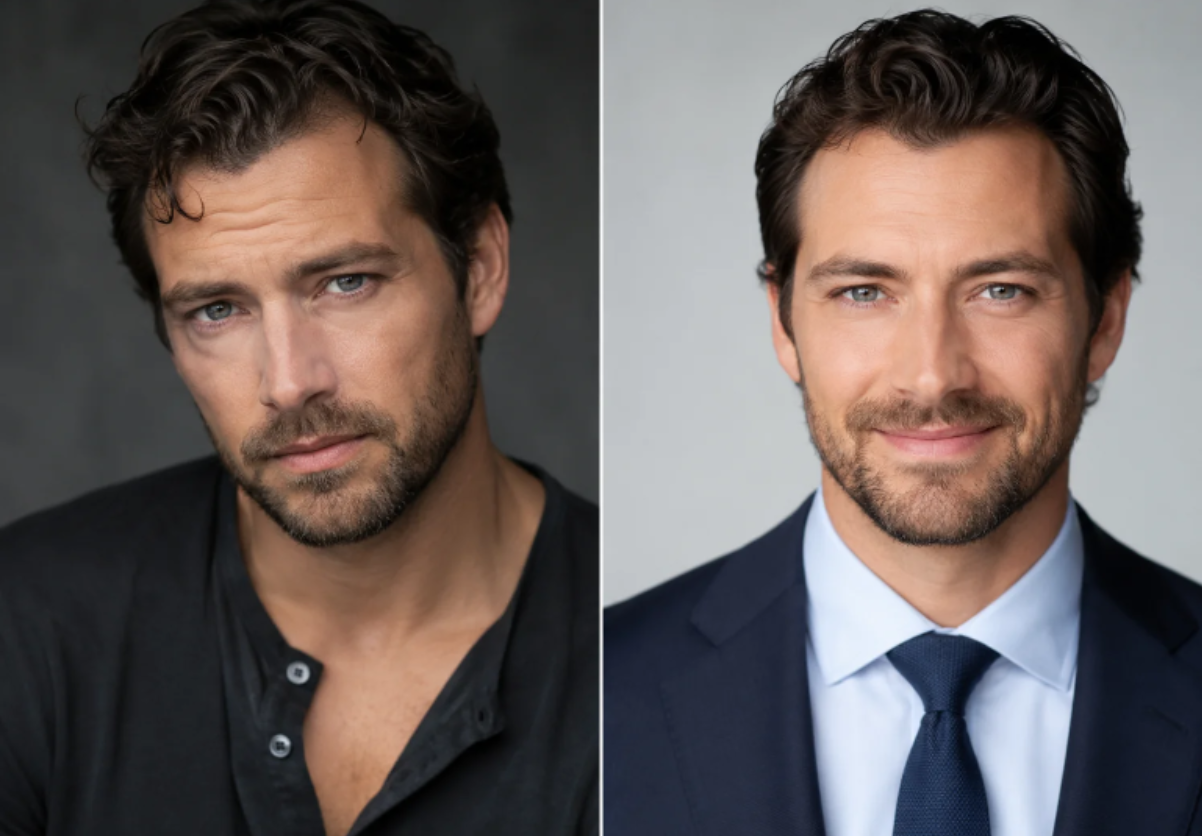
A portrait project often enters a design studio as a loose folder of selfies and a sentence about wanting something “professional.” The designer then has to guess which face belongs on the About page, which crop fits the team grid, and which outfit matches the client’s work. A clear doctor headshots brief shows how to make that handoff usable before the layout begins.
The problem does not sit inside one image. It sits between the client’s identity and the page system. A portrait can look polished in a large preview and still fail when it moves into a circular staff card, a narrow mobile column, or a press block with a different background. Designers pay for the mismatch with extra emails, replacement crops, and a layout that waits for a file nobody approved.
ProfessionalHeadshot gives the intake a defined path. The user uploads 5–20 casual photos from a phone, with different angles and lighting, chooses an industry, outfit styles, and backgrounds, then receives a set of 40–100 headshots. The published workflow describes delivery in about 10–30 minutes. For a studio, the useful feature is the repeatable input brief, not the promise of a single perfect result.
Client Photos Fail At The Design Handoff
Designers usually receive the source material after the visual direction has already become vague. One client sends a passport photo, another sends a cropped group picture, and a third sends a selfie taken under a ceiling light. The studio can improve the layout, but it cannot make three incompatible starting points behave like one brand system without making a new creative decision for every person.
The re-work spreads across the project. The designer builds the staff grid around one face, then discovers that the remaining files have different headroom, contrast, and perceived formality. A project manager sends a question to the client. The client asks whether the background can be changed. The designer sends a new crop. The same page changes shape while the actual brand work remains unfinished.
A practical intake protocol checks the files in the places where the design will use them. Preview each candidate as a square card, a wide profile image, and a small mobile thumbnail. If a face looked fine in the large preview but becomes unreadable in the small card, the file has failed the handoff. If the eyes disappear into a shadow or the head is clipped by the crop, the designer should send it back before styling the whole page. A candidate with a warped jawline or invented feature is discarded, even when the lighting looks attractive.
Turn The Intake Into A Design Brief
The client does not need a long photography lesson. The client needs a short set of decisions that the designer can carry into the page system. ProfessionalHeadshot works best when those decisions arrive before the generation starts, because the selected inputs affect the range of files the studio must sort later.
Ask For Source Photos That Show Real Variation
Ask for 5–20 recent photos rather than one carefully chosen selfie. Different angles and lighting give the system more information about the person’s face and help the client avoid building an entire set from one expression. The intake form can ask for a front view, a mild three-quarter view, and a photo with the face clearly visible. Group shots, dark sunglasses, and heavy shadows create review work because the designer cannot tell whether a change came from the chosen style or from a weak source.
The studio should also ask whether the person will appear in a medical, legal, executive, or general business context. That answer changes the meaning of a jacket, a coat, and a casual background. It gives the client a reason to supply useful photos rather than treating the upload step as a box to tick.
Choose Style Inputs Before Building The Page
Industry, outfit, and background choices belong in the brief because they become design variables later. A medical client may need a white coat and a clean white or light gray studio background. A public-facing founder may need a darker blazer and a warmer office setting. ProfessionalHeadshot presents more than 30 outfit styles across professional categories and 14 backgrounds, but the designer does not need every combination. The brief should name the two or three settings that match the brand.
That limit protects the client from a gallery that feels rich but does not make a decision easier. It also gives the designer a stable palette. A page with six staff members can use one background family while preserving small differences in expression and pose. The result reads as a team without turning every face into the same template.
Run The Three-Step Asset Path
The public workflow is short enough to explain in a client email, but each step needs a studio-side acceptance rule. The designer’s job is to keep the path tied to the final page, so the output becomes a library rather than a pile of images.
Upload Photos Before You Touch The Layout
Start with the source set, not a placeholder headshot. The client uploads 5–20 casual photos, and the studio checks whether each person has enough variation for a useful result. This is the point to ask for a replacement photo. Sending a weak input forward only moves the correction to the end of the project, when the layout and approval chain already depend on it.
Select Clothing And Background For The Client
The client then chooses an industry, outfit styles, and backgrounds. The designer should translate the page direction into those choices. For a hospital bio, the page may need a white coat and light studio background. For a creative founder, the same clean face can sit in a less clinical setting. The decision should come from the client’s public role, not from whichever thumbnail looks most dramatic.
Review The Finished Set As A Working Library
The final step produces 40–100 portraits, with delivery described in roughly 10–30 minutes. Review them by page job: staff grid, About page, press bio, and social profile. Mark the master file, a wider alternate, and one backup. Ignore the rest unless a real page needs a different crop or pose. A designer who exports everything gives the client more sorting work and leaves the next editor unsure which file carries approval.
The workflow on ProfessionalHeadshot.io makes the delivery quick enough for an active web project, but speed does not replace the review gate. The studio should still check eye clarity, face shape, clothing edges, background balance, and the distance between the head and the crop. Those checks turn a generated set into a usable design input.
Set A Review Gate Before The Page Build
The studio can keep the approval call short by showing the files at their real sizes. A four-part review list is enough to catch the failures that create the most downstream work:
Recognisability: the person should look like the person who will appear in the meeting, classroom, clinic, or interview.
Crop safety: the face, eyes, and shoulders should survive the square and mobile versions.
Role fit: the clothing and background should agree with the client’s job and the page’s promise.
Library value: each approved file should have a named page job instead of floating in a general gallery.
A review gate also makes disagreement easier to resolve. The client can reject a file because it changes the face, the designer can reject one because the crop fails, and the project manager can reject one because it duplicates an approved option. Everyone is judging the same use case instead of trading taste words.
Use The File According To Its Page Job
One of the strongest habits a studio can introduce is to stop treating a portrait as a universal asset. A staff grid wants a tight, calm crop. An About page may support more shoulder room. A press bio may need a wider frame and a background that does not compete with the text. The same person can have several approved files, but each one should answer a clear layout question.
The designer should keep the master outside the page builder and name the derivatives by their job. That small bit of housekeeping prevents a later editor from downloading a compressed thumbnail and using it as the source. It also gives the client a repeatable way to refresh one portrait without asking for a full redesign.
Commercial usage matters at this handoff. ProfessionalHeadshot includes full commercial usage rights with the generated images, which gives a studio room to place an approved portrait on a client website, press material, or professional profile. The team should still keep the client’s approval record and avoid using an image in a role the person did not approve.
Approve The Final Set Before A Page Launch
ProfessionalHeadshot fits a design studio that wants a defined portrait intake, quick delivery, and enough variation to cover several page roles. It does not remove the need for art direction, client consent, or a human check at the final crop. A page can only look coherent when the studio decides what the image must do before it asks the generator for options.
The best handoff is simple: collect useful source photos, narrow the style choices, review at live sizes, and mark a small set of masters. The designer then spends time shaping the client’s story instead of repairing a folder that never had a brief.
