
From Overwhelm to Output: A Realistic Guide to Starting with AI Video

The first time you see a stunning, AI-generated video, the feeling is unmistakable. It’s a mix of awe and immediate intimidation. “Could I possibly make something like that?” The answer is yes, but the path isn’t a single click from idea to masterpiece. It’s a journey of small steps, failed prompts, and gradual wins.
For beginners, the world of AI video generator and AI image creator can feel like standing at the controls of a spaceship. The potential is infinite, but which button do you press first? This guide isn’t about hype. It’s about grounding those first steps in the reality of early adoption, focusing on practical learning over magical solutions.
The First Hurdle: Confronting the Blank Prompt Box
Your initial encounter with any AI video generator platform is defined by a single, blinking cursor. This is where most beginners, myself included, freeze. The gap between the epic vision in your head and the words you type is vast.
Early attempts often yield comical or confusing results. You might type “a cyberpunk cityscape” and get a purple-haze blob, or ask for “a person smiling” and receive a being with seven fingers. This isn’t failure; it’s the AI’s first language lesson. You’re learning that these tools don’t read minds—they read context.
Shifting from “What I Want” to “How the AI Sees”
The breakthrough comes when you start thinking like a director, not just a dreamer. Instead of a single grand concept, break it down into components the AI can process:
Subject: Not “a warrior,” but “a weary female knight with practical armor.”
Action: Not “fighting,” but “cautiously raising a shield, eyes scanning a misty forest.”
Setting: Not “a fantasy world,” but “a dense, ancient redwood forest at dawn, beams of light cutting through fog.”
Style: Not “cool,” but “cinematic, moody, reminiscent of The Witcher series.”
This detailed prompting is your first and most crucial skill. It applies whether you’re generating a single image with an AI image creator or a 10-second clip.
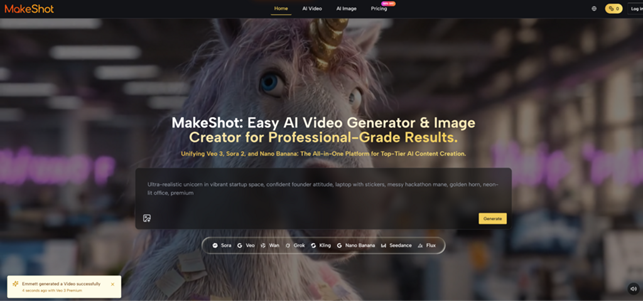
Choosing Your Tool: A Model for Every Need
A major point of confusion for newcomers is the array of underlying technologies. Is one tool just… better? Not exactly. Different models are engineered for different artistic and practical outcomes. Using a platform that offers access to multiple models, like those mentioning Veo 3, Sora 2, or Nano Banana, is actually a beginner’s advantage. It lets you learn by comparison.
Think of it like choosing a brush:
For Hyper-Realistic Images & Consistency: If you need product mockups, realistic portraits, or consistent character faces across multiple images, a model like Nano Banana is purpose-built. Its reported ability to use multiple reference images is key for nailing a specific look.
For Cinematic, Narrative Video: Want to tell a short story with dramatic camera moves and coherent scene progression? A model excelling in cinematic storytelling, such as Sora 2, is designed for that narrative flow.
For Video with Integrated Sound: Perhaps the biggest leap in recent tech is video generated with native audio. A model like Veo 3, which can produce synchronized soundscapes and dialogue, removes an entire layer of post-production complexity for beginners.
In my early experiments, I’d generate the same prompt across different models. Seeing side-by-side how one interpreted a “sunset” as painterly and another as photorealistic was more educational than any tutorial. It taught me to match the tool to the task.
Building a Beginner’s Workflow: Start Small, Iterate Fast
Expecting a flawless, finished product from your first prompt is the fastest route to frustration. The professional-looking results you see online are almost never “first drafts.” They come from a workflow built on iteration.
A Non-Linear, Learn-As-You-Go Process
Frame the Shot, Not the Film: Don’t start by trying to generate a full 60-second explainer video. Start with a 3-second clip of a bouncing logo, or a 5-second establishing shot of a cozy café. Master the micro.
Image First, Video Second: Use an AI image creator to prototype. Generate the perfect still image of your scene. Once the style, colors, and subject are right, use that image as a reference or starting point for the video generation. This saves time and computational credits.
Embrace the Edit: AI-generated content is raw footage. Plan to edit. Use simple editing tools to trim clips, add text overlays, pair a great video with a separate music track, or sequence a few short clips together. This human touch is where your unique perspective comes in.
Document Everything: Keep a simple log or note: what prompt you used, which model, what settings, and what you liked/didn’t like about the output. This log becomes your personal playbook.

Dispelling Early-Stage Myths
Let’s clear up common misconceptions that trip up beginners.
Myth 1: “It’s Fully Autonomous and Will Replace Me.”
Reality: The AI is a supremely talented but literal-minded collaborator. You are the creative director, providing vision, taste, and editorial judgment. It handles execution based on your guidance. The tool doesn’t replace the creator; it amplifies the creator’s ability to execute.
Myth 2: “The First Result is the Final Result.”
Reality: The first generation is a conversation starter. You look at it and think, “Okay, but the lighting should be from the left,” or “make the subject older.” You refine the prompt and try again. This iterative loop is the work.
Myth 3: “It’s Only for Viral Trends and Crazy Effects.”
Reality: While fantastic for eye-catching social content, the practical, daily wins are often mundane and powerful. Think: creating a unique background image for a blog header, visualizing a product concept before prototyping, generating B-roll of a cityscape for your YouTube video, or creating custom illustration styles for a presentation. The AI image creator function alone can become a workhorse for everyday content needs.
The Long Game: Gradual Integration
The end goal isn’t to make everything with AI. It’s to thoughtfully integrate it where it makes your workflow more efficient and your creative possibilities wider. Maybe you’ll use it for mood boards, for rapid prototyping of concepts, or to produce specific assets that were previously out of budget.
Start with curiosity, not pressure. Allow for wasted generations and weird results—they’re your best teachers. Each prompt is a question, and each output, even the strange ones, is an answer that teaches you a bit more about this collaborative, creative partnership. The journey from the intimidating blank prompt box to confident creation is just that: a journey. Begin it not with the goal of perfection, but with the intent to learn.
