
7 Best Remote Device Management Solutions for SMB in 2027: MDM Platforms Compared

Mobile devices are now the front door to your company’s data—and that door is multiplying fast. Analysts expect the mobile-device-management (MDM) market to triple to $22 billion by 2027, compounding at 26 percent a year, according to a 2023 MarketsandMarkets report.
For small and midsize businesses, the message is blunt: manage or be managed. Cyber-insurance underwriters, regulators, and new hires already assume you can lock, patch, or brick any device in seconds. Yet most lean IT teams still juggle spreadsheets and mismatched free tiers, leaving endpoints exposed.
This guide closes that gap. We audited reports, tested products, and sifted through thousands of admin comments to map a decision path. Each fork aligns with a real-world need—lifecycle logistics, Microsoft depth, Apple purity, lowest cost, identity focus, or Android dominance—and points to one best-fit tool.
You won’t see 20-row spec grids—only clear prose, short paragraphs, and a few comparison tables.
Ready? Let’s pick the path that frees your team to stop chasing devices and start growing the business.
How to use this guide
We built this guide the same way you troubleshoot a laptop: start with the symptom, follow a clear path, solve the problem fast.
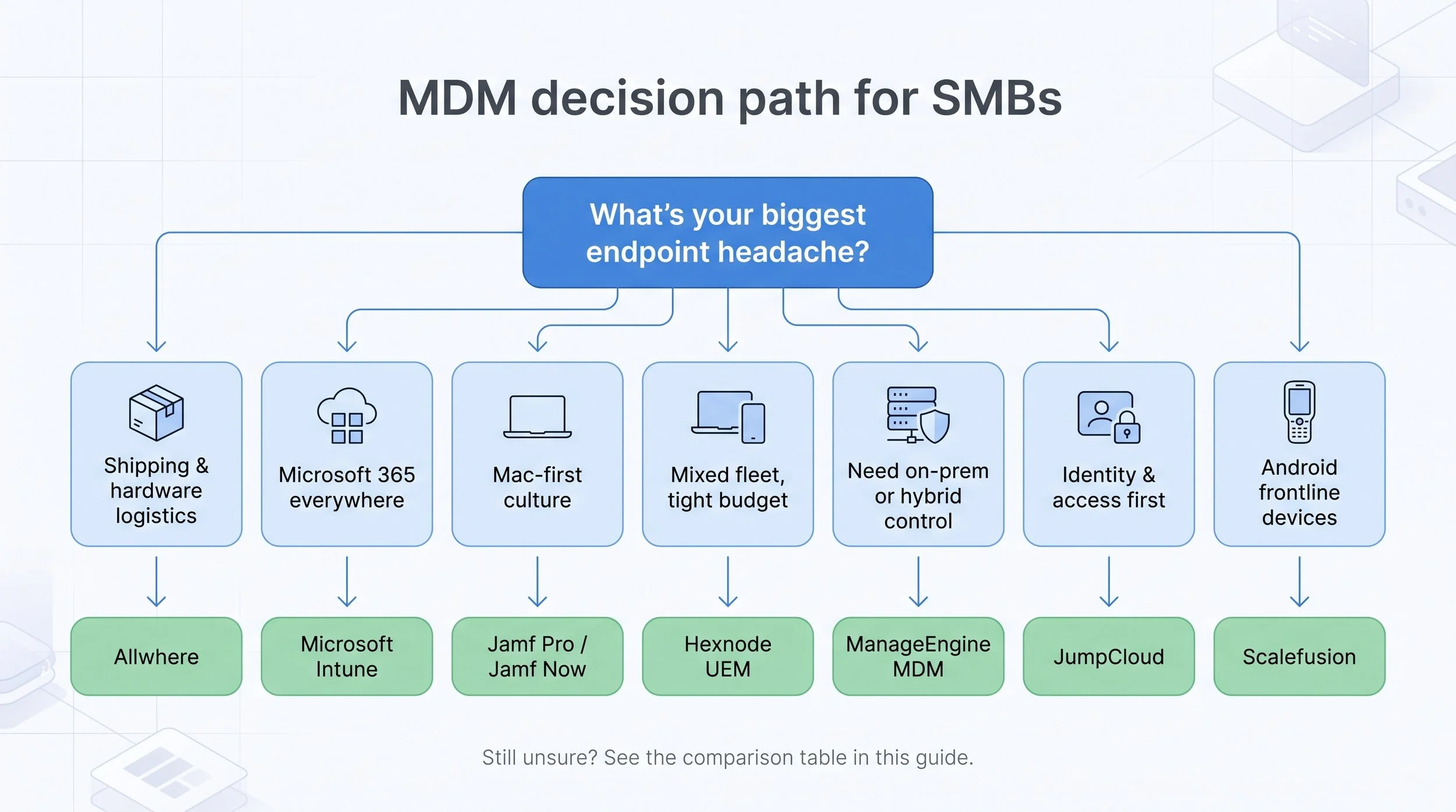
First, skim the five scenario headers that follow. Pick the one that sounds most like your world. Maybe you run a Microsoft stack. Maybe you ship Macs to designers in three time zones. The match will be obvious because each scenario is written in plain language, not consultant speak.
Next, read the deep dive on the recommended tool for that scenario. We keep the prose brisk: what it does, why it wins, where it may fall short. No twenty-row feature matrices, just the factors that matter when you’re an IT team of one.
Still on the fence? Jump to the single-page comparison table near the end. It lines up the seven finalists against the five criteria every small IT shop asks about: price, platform breadth, zero-touch onboarding, security strength, and whether the vendor will help you ship or retrieve a device.
Treat the guide like a diagnostic flowchart. Follow the arrows, grab the answer, get on with your day. Your endpoints and your stress levels will thank you.
Allwhere: Full device lifecycle automation
Picture this: you hire a developer in Berlin on Monday and a designer in Austin on Tuesday. By Friday both need fully configured laptops, and your only warehouse is the spare bedroom. That scramble steals hours you could spend hardening security or shipping code.
Allwhere ends the scramble.
Unlike traditional MDM tools that stop at wipes and policy pushes, Allwhere wraps the entire physical journey of a device (procurement, zero-touch imaging, global shipping, retrieval, certified wipe, resale) into one cloud dashboard. We stay in the browser, click Send, and the new hire receives a ready-to-work machine without IT ever taping a box. When an employee leaves, Allwhere emails a prepaid label, tracks the return, and shows chain-of-custody proof so compliance teams stop asking for spreadsheets. It is the hardware equivalent of the “easy button,” and it works with any MDM because the platform stays agnostic.
Cost is usage based, not per-device licensing. That matters when a fleet spikes during seasonal hiring or a funding round. Instead of unused seats idling on a bill, you pay only when devices move.
Visibility is another win. We open the dashboard and instantly see what’s deployed, what’s in storage, and what’s en route. No more “where is that MacBook?” Slashing that uncertainty also slashes spend. Customers report cutting lost-device write-offs to near zero and reclaiming assets for redeploy within days, not weeks.
If your biggest headache is shipping boxes, not toggling MDM checkboxes, Allwhere is the cure. The platform automates the full device lifecycle, from day-one shipment to final wipe and recycle, so a lean IT team can run global hardware ops from a laptop in a coffee shop.
Microsoft Intune: Microsoft-centric UEM
If your company lives in Microsoft 365, Intune is the most direct path to tight endpoint control. It runs in the same cloud as your mailboxes, Teams chats, and SharePoint files, so turning it on feels like flipping a switch rather than rolling out new software.
That integration pays off daily. Device compliance ties straight into Entra ID conditional access, so a laptop without BitLocker or a phone without a PIN is blocked before it reaches Outlook. Windows Autopilot handles zero-touch setup: ship a shrink-wrapped Surface, and the user signs in once to pull the build you approved. Intune applies the same logic to macOS, iOS, and Android, pulling profiles from Apple Business Manager and Android zero-touch without USB imaging.
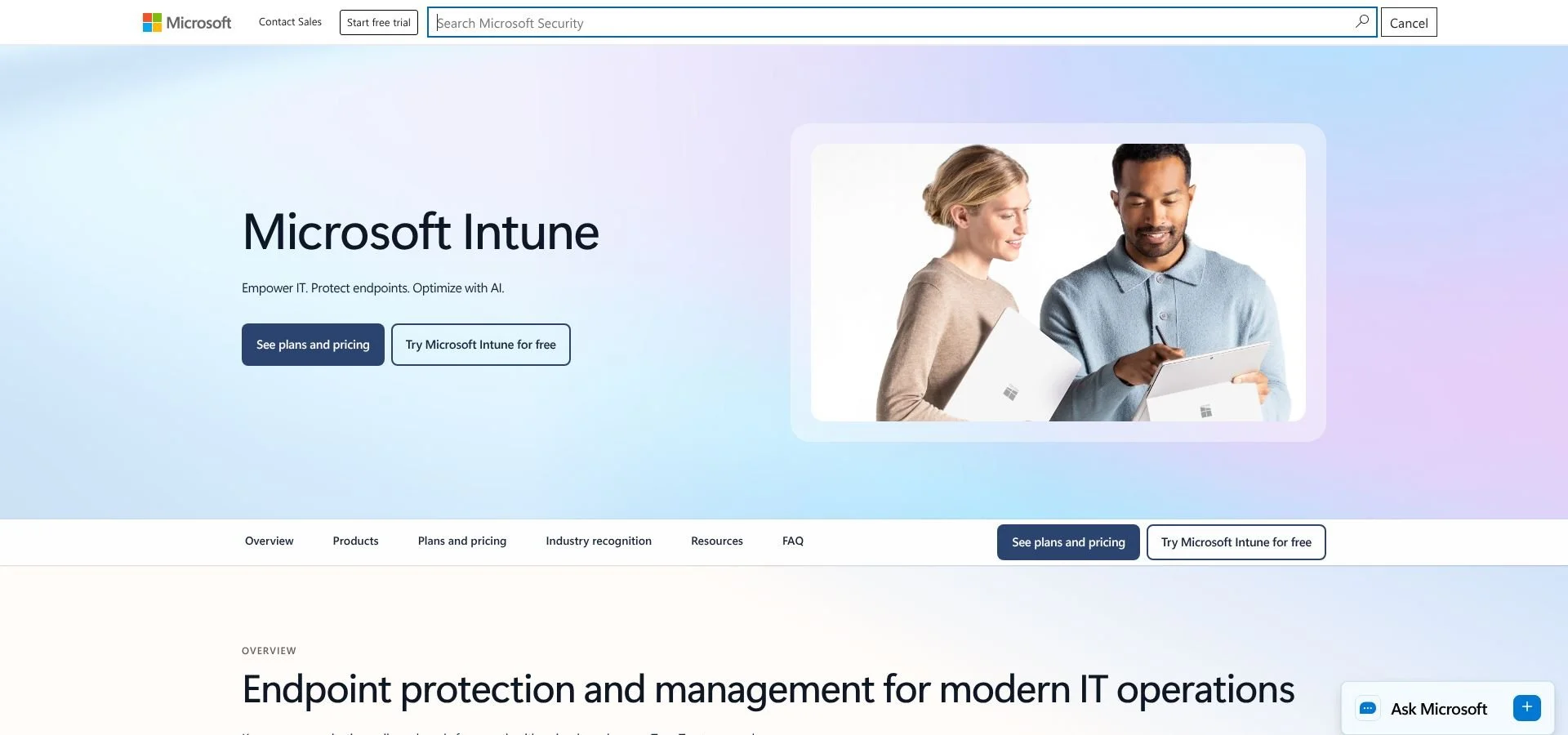
Microsoft Intune endpoint management console screenshot
Pricing is predictable. Most SMBs already license Intune through Microsoft 365 Business Premium or E3, turning what looks like new spend into a sunk-cost win. The power comes with menu depth, though. The portal shows hundreds of toggles, and the language leans enterprise. Small teams may spend the first week chasing template policies or decoding cryptic compliance errors.
The trade-off is reach. Few rivals match Intune’s scope: laptops, phones, virtual desktops, and Microsoft Defender status all surface in one view. Add co-management with Configuration Manager for on-prem gear, and you get a single authority over patches old and new.
Pick Intune when Windows is your center of gravity, security teams require conditional access, and you want one vendor, one bill, and one console to manage every endpoint. Budget time for the learning curve, and tap Microsoft’s admin community to turn that power into smooth daily operations.
Jamf Pro and Jamf Now: Apple fleet excellence
When your company logo glows on every lid, you need a tool fluent in macOS. Jamf fits the bill. For twenty years it has been the benchmark for Apple management, trusted by organizations running tens of millions of Macs and iPads worldwide.
Why does it stand out? Granularity. Jamf Pro lets us push a kernel extension exemption, run a custom script, or enforce FileVault before a new Mac reaches an employee’s desk. Apple Business Manager hands off the serial number, Jamf applies the blueprint, and the user hears the startup chime on a machine already encrypted, patched, and loaded with the right apps. Zero touch, zero drama.
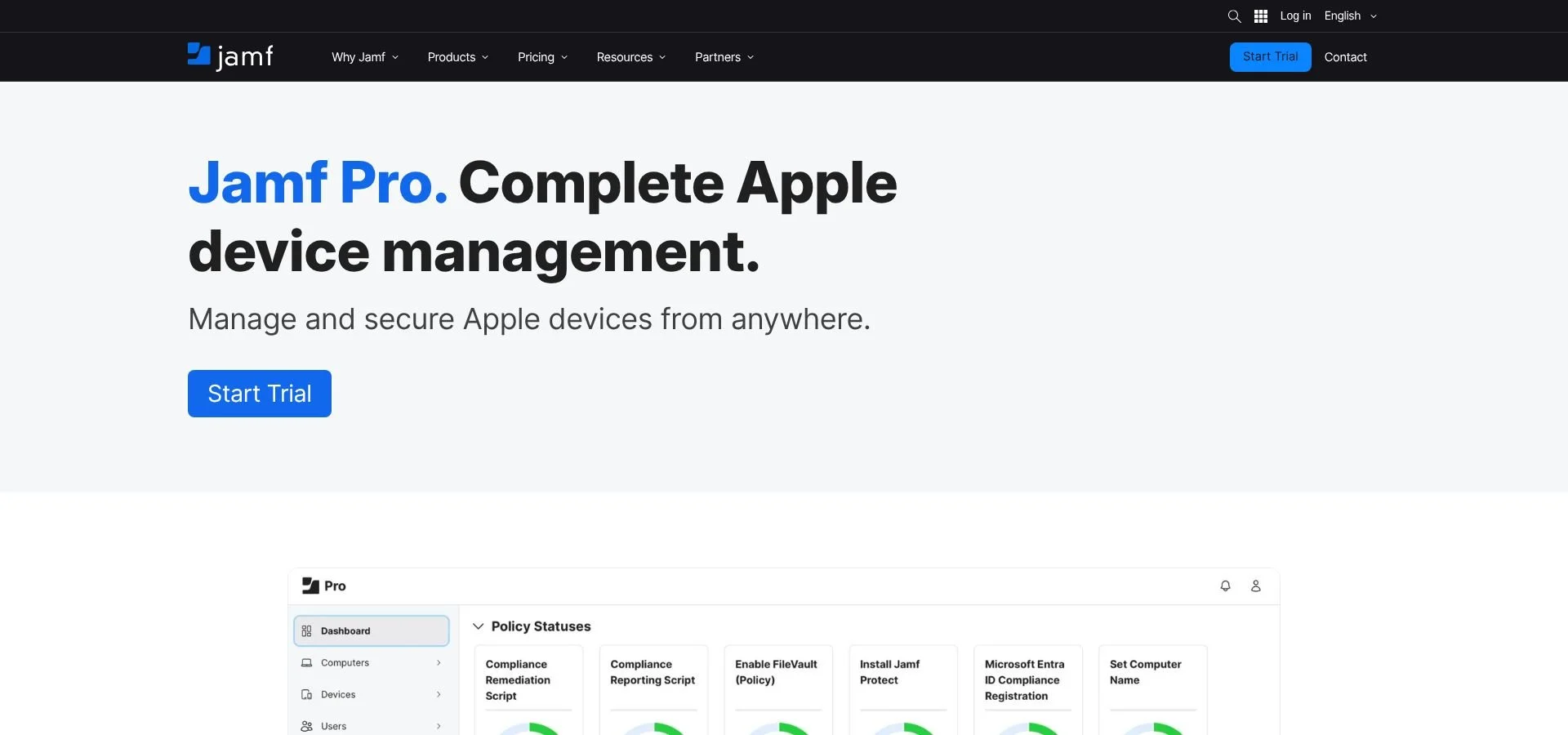
Jamf Pro Apple fleet management dashboard screenshot
Cost scales with ambition. Jamf Now, the lighter sibling, covers the basics for about two to three dollars per device each month and even offers three seats free. Move to Jamf Pro at roughly eight dollars per device to gain deep inventory, patch automation, and a vast library of community scripts that solve problems before Apple Support replies.
The interface is clean, although mastery takes time because depth hides under every tab. The good news: Jamf Nation, an active user forum, answers most questions before you finish typing.
Choose Jamf when Apple hardware shapes your culture, security audits demand precise control, and you want a roadmap that tracks Cupertino’s yearly OS changes. If the fruit logo matters more than the window logo, Jamf keeps the orchard healthy.
Hexnode UEM: Cost-optimized multi-platform control
Budgets are tight, devices are diverse, and you still need strong control. Hexnode fits that use case. Plans start at a little over two dollars per device each month, so even a fifty-user startup can enforce policy without gutting the coffee fund.
Hexnode’s dashboard feels like a consumer app: clean menus, friendly wizards, and no jargon. We can enroll Windows laptops, Macs, iPhones, and Android phones in minutes, then push a single policy that enforces encryption everywhere. Apple Business Manager and Android zero-touch are built in, which means hands-off setup whether the device ships from Cupertino or Seoul.
Despite the low price, Hexnode packs features that often cost extra: remote screen control, kiosk mode, location tracking, and Windows patch scheduling. That bundle keeps invoices simple, and it keeps CFOs happy.
Support is another perk. Reviews on G2 and Capterra praise the service team for answering chat requests in real time and guiding first-time admins through tricky payloads. For a solo IT pro, that help can save hours of forum digging.
Choose Hexnode when you need broad platform coverage, cloud delivery, and pricing that stays sensible as the fleet grows. The next section covers its on-prem twin in value, ManageEngine MDM, for teams that prefer servers under their own roof.
ManageEngine Mobile Device Manager Plus: On-prem control without the price tag
Some teams sleep better when the data lives on their own server. ManageEngine MDM strikes a balance between cloud ease and on-prem peace of mind. You choose: spin up the SaaS console in minutes or install the software on a Windows or Linux box behind your firewall.
Either way, the starter tier is hard to beat. You can manage up to twenty-five devices free forever, which suits a nonprofit or regional retailer testing MDM. After that cap, annual pricing still lands under one dollar per device per month when deployed on-prem, so budgets stay predictable even as headcount doubles.
Feature depth rivals tools five times the price. We push Apple, Android, and Windows policies, schedule OS patches, remote-control a user’s screen, and even quarantine a lost phone’s SIM. Rugged devices on factory floors are also covered. Zero-touch programs from Apple, Google, and Microsoft plug straight in, so devices arrive ready out of the box.
The console looks a generation older than sleeker rivals, but behind the retro UI sits reliable automation. A built-in compliance engine emails managers when a device drifts from policy, and role-based access keeps HR’s tablets separate from finance’s laptops.
Choose ManageEngine when you want ownership of the stack, value a generous free tier, and need broad platform support without cloud dependence. It is the frugal admin’s power tool, blending familiar deployment with modern endpoint control at a price that still leaves room for coffee.
JumpCloud: Identity-first device management
User accounts and devices are two sides of the same security coin. JumpCloud fuses them in one lightweight cloud directory, so you can trigger a password change and a disk-encryption check from the same pane. For a lean IT crew drowning in portals, that single source of truth feels like fresh air.
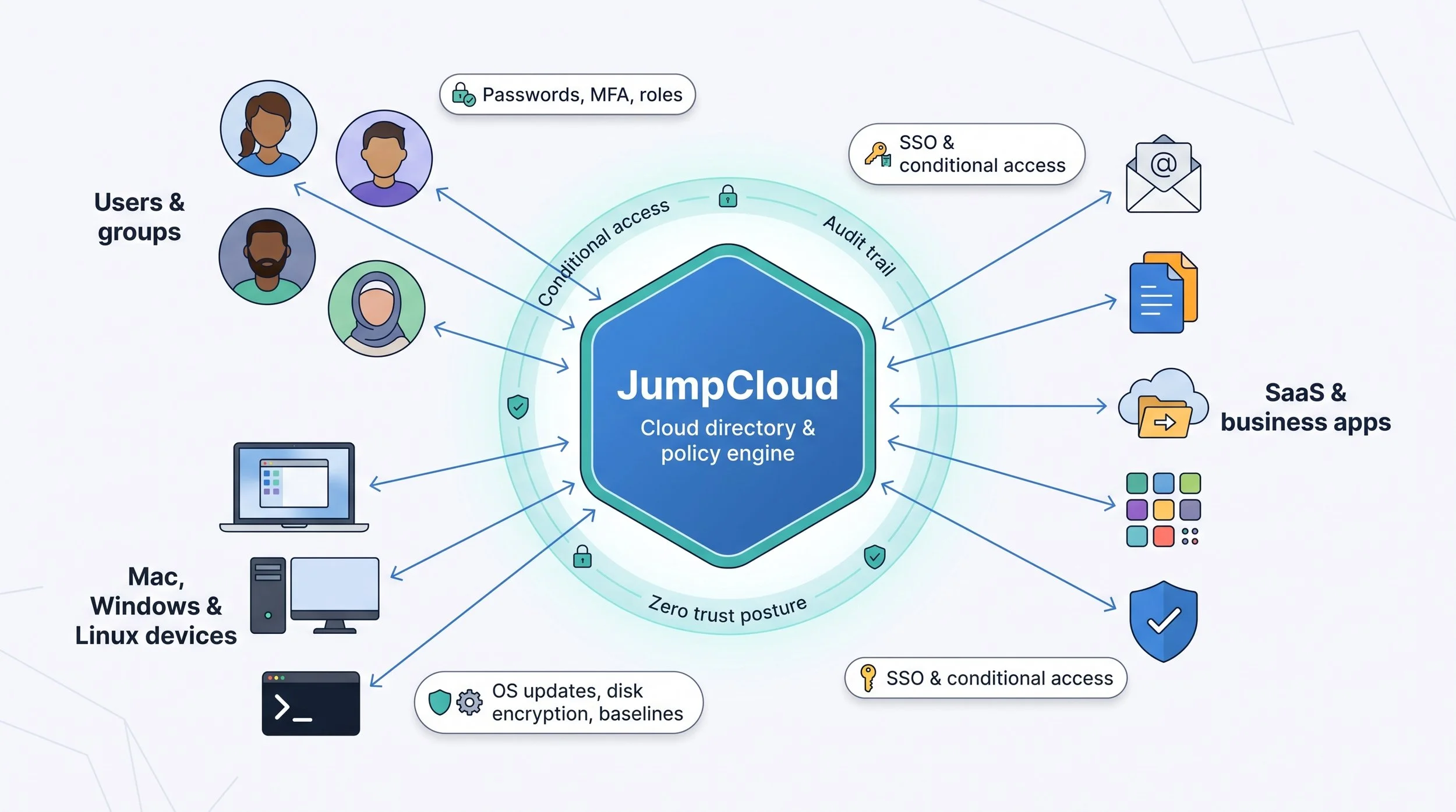
Getting started is painless. The platform offers a 30-day free trial, enough to run a pilot without paperwork. Install Mac, Windows, or Linux agents and you can push OS updates, set compliance baselines, and lock machines when an employee leaves, while HR disables payroll access in the same workflow. Apple Business Manager enrollment and FileVault keys sit beside SSO connectors for Google Workspace and Microsoft 365, turning a seven-step checklist into two clicks.
JumpCloud shines in conditional access without the Azure price tag. Craft policies around device health and user role, then gate every app behind them. The user sees one login; you see an audit trail that keeps cyber-insurance brokers happy.
Limitations exist. The platform supports Android zero-touch enrollment, but physical logistics are missing, so you will still need a partner like Allwhere for shipping and retrieval.
Choose JumpCloud when you want identity, access, and device posture in one place, especially if you are leaving on-prem Active Directory but not ready for Microsoft’s full Intune learning curve. It is the quickest way to confirm that the right people, and only the right people, touch compliant hardware each day.
Scalefusion: Android-first on a shoestring
If your frontline relies on Android scanners, tablets, or low-cost phones, Scalefusion is a simple fix. Born in the rugged-device world, it lets you push a lockdown screen to fifty warehouse handhelds as easily as sending an emoji.
Pricing starts at two dollars per device each month, so you can protect a delivery fleet for less than yesterday’s fuel bill. That entry tier still includes kiosk mode, location tracking, and remote control, the core features that keep shift workers productive and company data safe.
Setup is quick. Enroll through Android zero-touch, pick a prebuilt profile, and the tablet reboots into a single-app launcher that drivers cannot exit. Managers track battery life, data use, and geofence breaches from a dashboard simple enough for non-IT supervisors.

Scalefusion Android kiosk mode and fleet management screenshot
Cross-platform support exists for Windows, iOS, and macOS, but Android remains the star. If your environment leans Apple or you need detailed Windows patching, choose a broader UEM above. When the task is to tame a sea of budget Androids without draining cash, Scalefusion brings stability, speed, and savings in one SaaS package.
Leaving Meraki Systems Manager? Read this first
Thousands of small businesses adopted Cisco Meraki’s free or low-cost MDM tier when budgets were tight and the feature list looked “good enough.” Then plans changed. Cisco set an end-of-sale date of June 3, 2026, with no new licenses available after that and full retirement counting down. The clock now shows in every IT calendar.
If you still run Meraki SM, treat the next twelve months as a structured migration, not a last-minute fire drill. Start by exporting device inventory and configuration profiles; the platform lets you pull both as CSV and XML. Next, map each policy to an equivalent in your new tool. For instance, Wi-Fi payloads in Intune or Hexnode mirror Meraki’s SSID settings almost verbatim, while kiosk mode in Scalefusion replaces SM’s single-app lockdown for Android tablets.
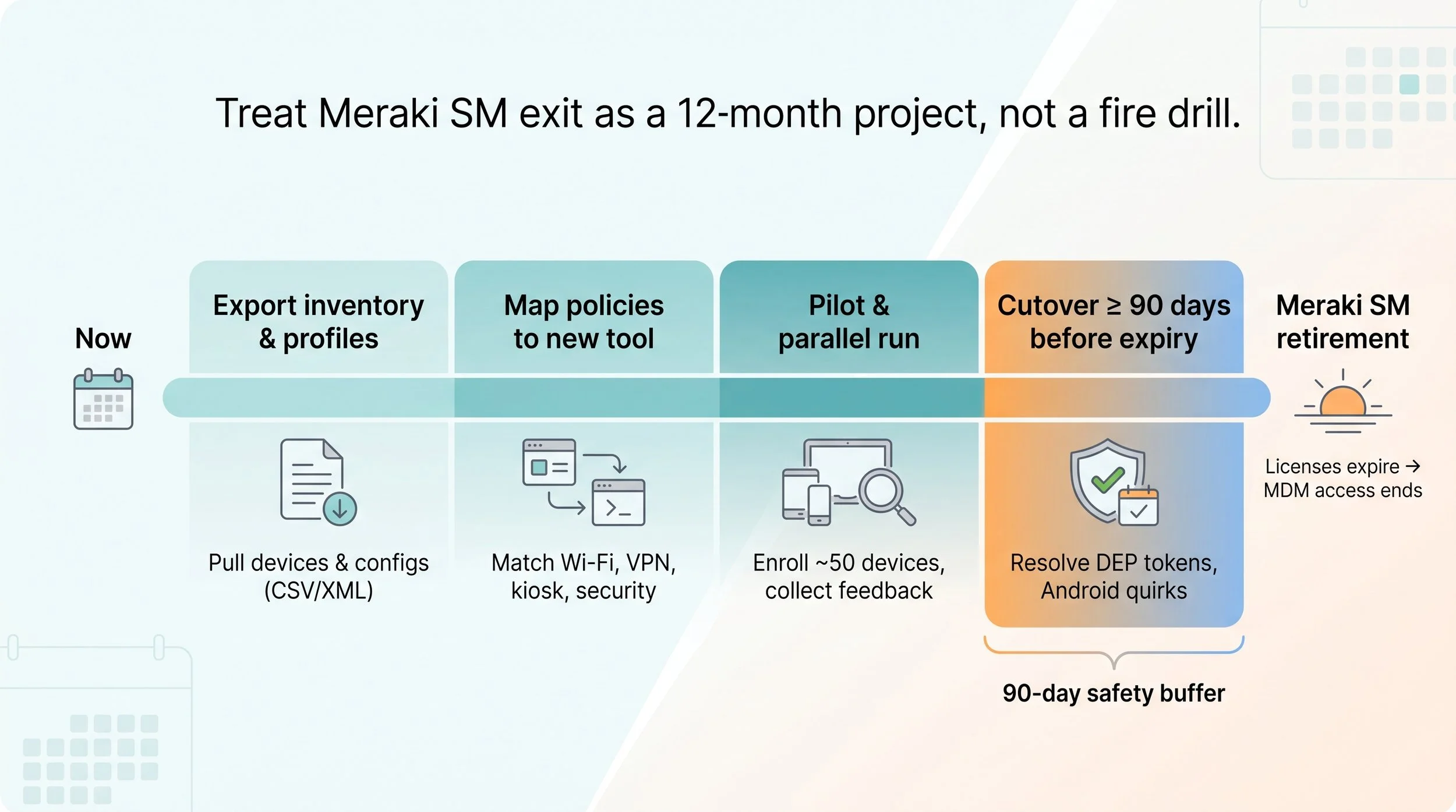
Plan a parallel run. Enroll fifty pilot devices in the new console, let employees work for a week, then gather feedback before a full migration. Finally, set a hard cutover at least ninety days before license expiry. That buffer shields you from surprise delays such as Apple DEP token renewals or unexpected Android quirks.
FAQ
That section answers the questions people fire at us after every webinar, such as how to test without trashing production or what to do if you’re fleeing a soon-to-be-retired platform like Meraki Systems Manager.
Conclusion
Treat Meraki’s sunset as a prompt to upgrade, not a crisis. With clear inventory, mapped policies, and a staged rollout, you will land on a stronger platform long before the lights go out.
